Clash.gg Inventory Value: How to Check What Your CS2 Skins Are Worth
Updated · By the MyCS2Guru Editorial Team
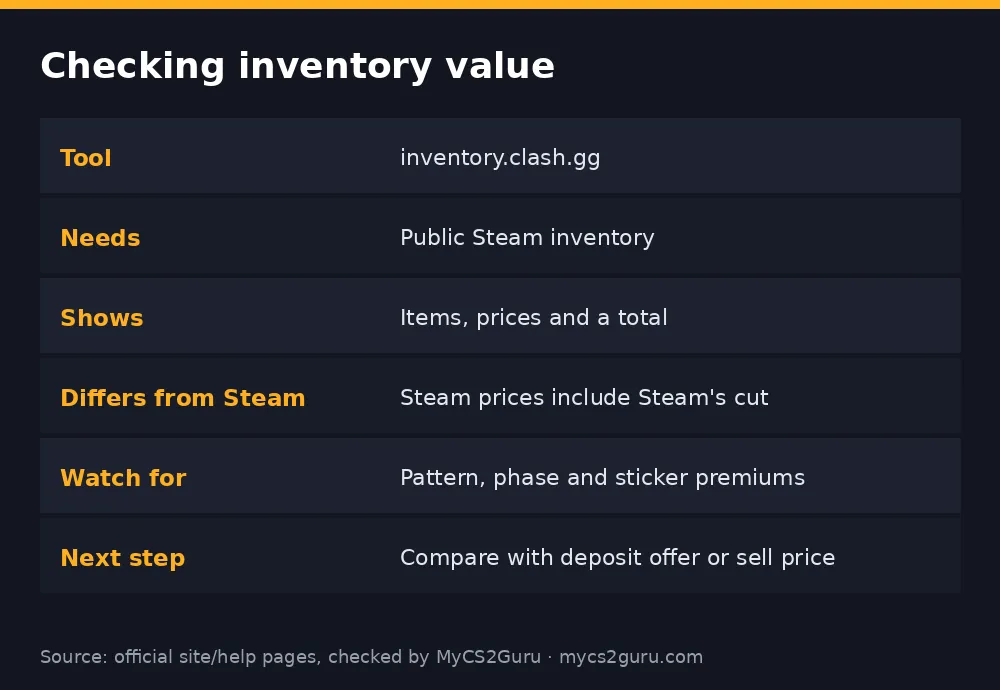
Ever wondered what your CS2 inventory is actually worth, bro? Clash.gg has a free tool for that. Its inventory checker at inventory.clash.gg reads a public Steam inventory and lists every item with a price and a running total. It's a quick sanity check before you deposit skins, sell, or decide what to trade. This page shows how to check your inventory value with Clash.gg, why numbers differ between tools, and what to do with the result. The wider tool suite is covered in our Clash.gg Stash guide.
Step-by-step: checking your inventory value
- Set your Steam inventory to public: Steam profile, Edit Profile, Privacy Settings, Inventory: Public.
- Open inventory.clash.gg in your browser.
- Enter your Steam profile as the tool asks (profile link or ID).
- Wait for it to load your CS2 items.
- Read the list: each item with its price, plus a total.
- Sort by value to see what's carrying your inventory.
- Note your top items for a closer look on Stash or other markets.
Why your number differs between tools
Different inventory tools give different totals, and that's normal. Steam Market prices include Steam's own fees and can only be spent inside Steam, so they run higher than cash markets. Cash marketplaces like BUFF trade lower. Skin sites have their own valuations for deposits. Inventory tools each pick a price source and method, so totals vary.
| Price source | Typical level | Why |
|---|---|---|
| Steam Community Market | Highest | Includes Steam's cut; Steam-wallet money |
| Cash markets (e.g. BUFF) | Lower | Real cash, competitive |
| Skin site deposit value | Varies by site | Site's own valuation |
| Inventory tools | Depends on source | Each uses its own data |
The most useful number depends on what you plan to do. Selling for cash? Use cash-market prices. Depositing on Clash.gg? Use the deposit screen. Just curious? Any reputable tool is fine.
What automated values miss
Tools price the base item: weapon, skin and wear. They often don't capture premiums for rare Case Hardened patterns (blue gems), top Doppler phases, high fade percentages, low float "max" items or expensive stickers. If you own any of these, the tool may undervalue them badly. Look them up properly before selling or depositing. Clash.gg Stash has a Case Hardened pattern search, and our guides cover blue gems, Doppler phases and fade percentage.
What to do with your inventory value
Keep. If you use and enjoy your skins, the number is just a fun fact.
Deposit on Clash.gg. Compare the tool's value with the deposit screen's offer for each item. Guide: deposit skins on Clash.gg.
Sell for cash. Compare cash-market prices after fees. Guide: how to sell CS2 skins for real money.
Trade up to something better. Use the value to plan a trade, or compare with the upgrader's chances if you're aiming at a specific item. Guide: Clash.gg upgrader.
Troubleshooting
| Problem | Fix |
|---|---|
| "Inventory is private" | Set Steam inventory to public; wait a few minutes |
| Items missing | Recently traded items or Steam API delays; refresh later |
| Value looks too low | Base-item pricing; check patterns, phases, stickers separately |
| Value differs from Steam | Steam prices include fees; expected |
| Tool won't load | Steam may be down (Tuesday maintenance); try later |
How often should you check?
Skin prices move with updates, new cases, operations and tournaments. A quick check once a month is plenty for most people, or before any big decision like depositing, selling or trading up. Checking daily tends to turn skins into a stock ticker, which isn't much fun. If you're tracking a specific expensive item, set a price alert on a market instead.
Inventory value and gambling decisions
Seeing a big total can make it tempting to deposit everything and play. Pause first. Decide which items you'd genuinely be fine losing, deposit only those, and keep the skins you love. A good habit is separating your inventory into "keep" and "spare" and only ever valuing the spare pile for deposits.
Privacy considerations
Setting your inventory to public lets anyone see your items, including scammers looking for targets. That's normal for trading, but stay alert: expect more random trade offers and friend requests if you have valuable items. Never accept unsolicited trades without checking every detail, and never share your Steam Web API key. Some people set inventory to public only while trading and private the rest of the time; just remember sites can't read it while it's private.
Inventory tool vs Stash price check
The inventory tool gives you a quick total for everything at once. For a single item, especially a valuable one, Clash.gg Stash's item pages and price check give more detail: price history, float ranges and, for Case Hardened, pattern searches. Use the inventory tool to find your most valuable items, then research those individually before doing anything with them.
Using your value to set a deposit budget
If you decide to deposit skins, use the inventory value to set a ceiling. For example, if your spare pile is worth about $50 by the tool and the deposit screen offers close to that, deposit only that pile and treat it as your whole budget for the month. Don't keep topping up from the "keep" pile after a bad session; that's how people lose skins they actually cared about.
18+ only. Clash.gg isn't available in Idaho, Michigan, Montana, Nevada or Washington and some other regions. See our responsible gambling page.